A day in the cockpit
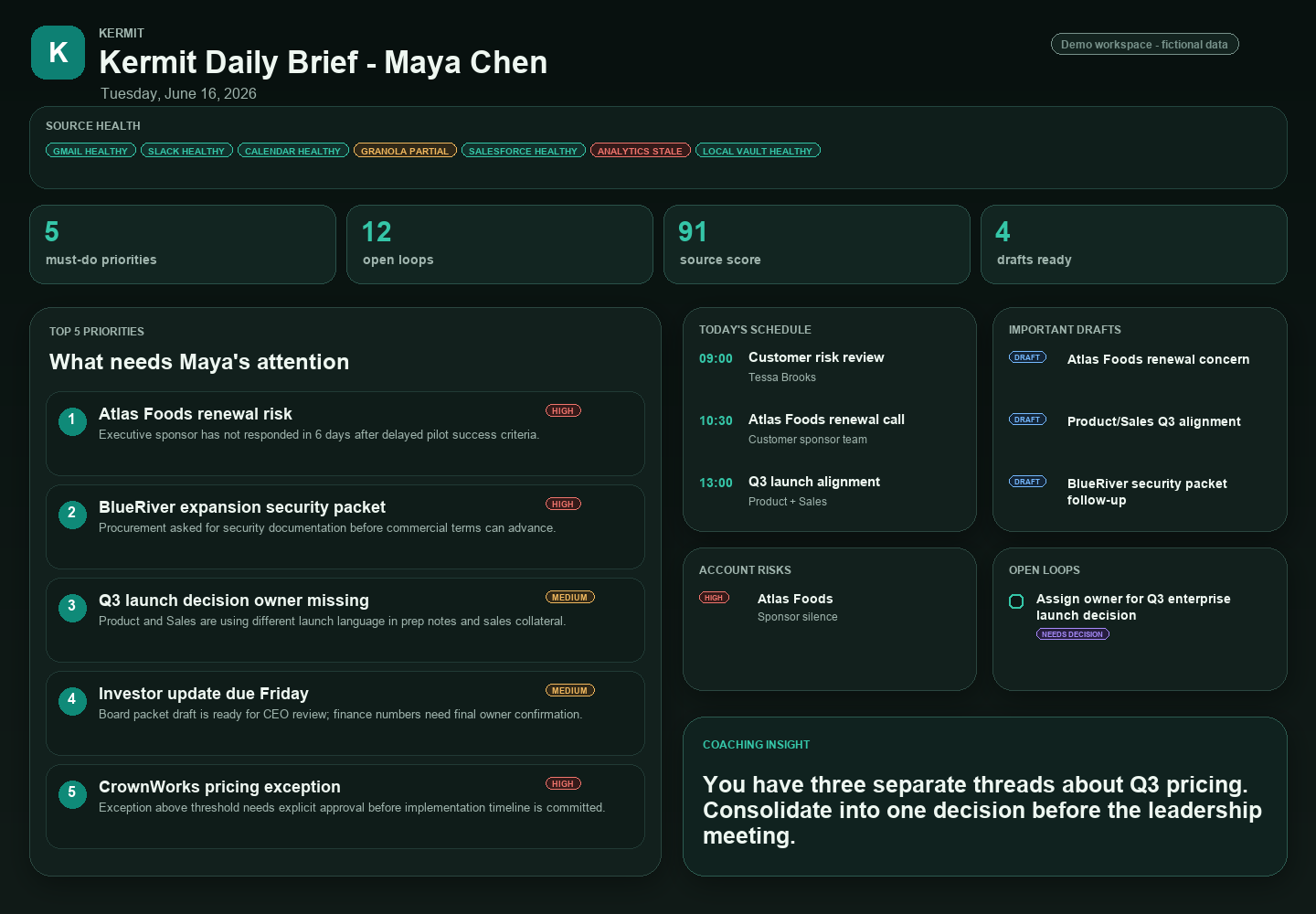
One cockpit for the operating week.
From the 6:30 AM brief to the last meeting, Kermit keeps the signal high and the surface auditable. Every screen below is a real view from the dashboard — drafts only, sources attached.
 Demo workspace · fictional data
02 · Action queue
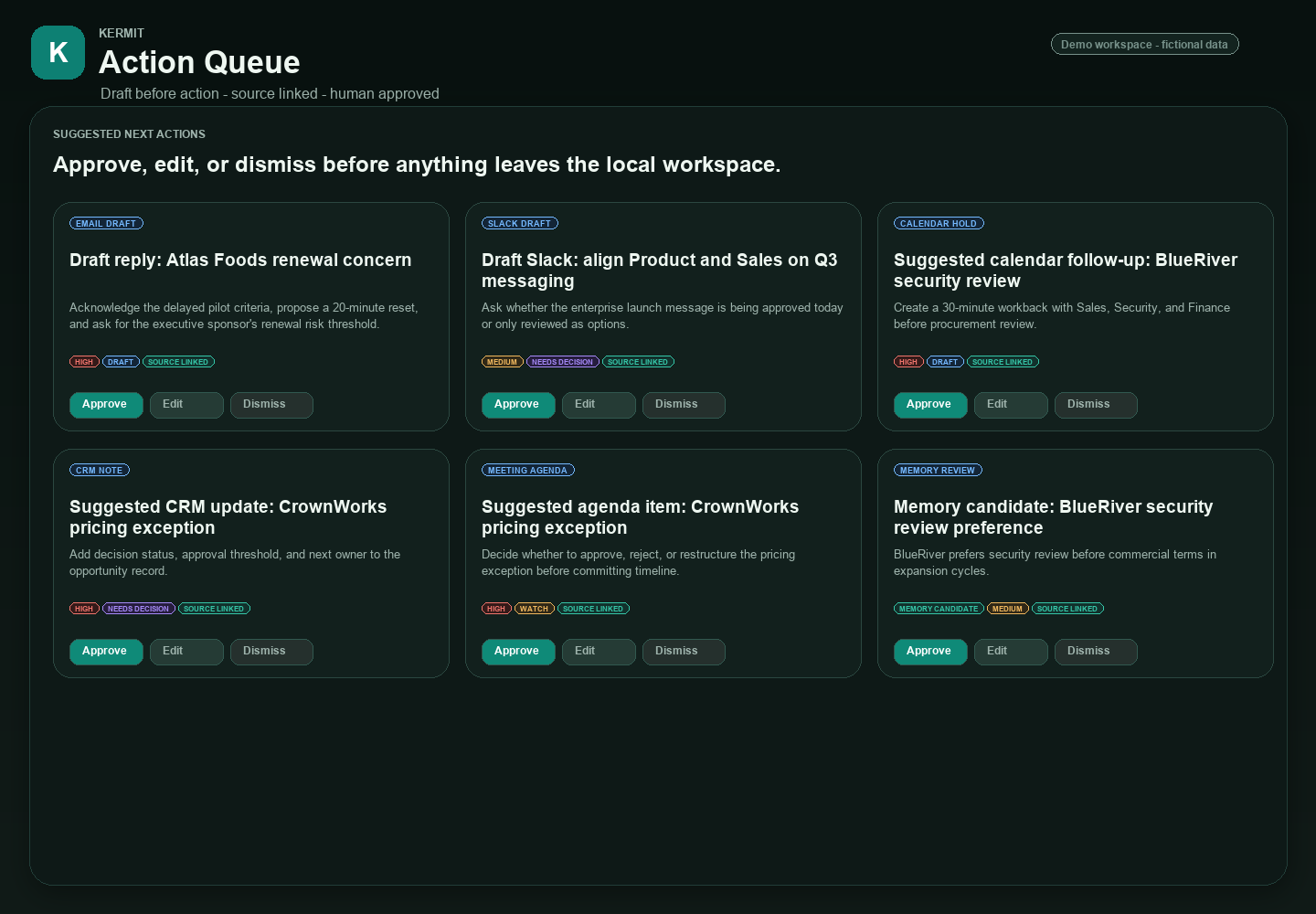
Approve once. Kermit drafts the rest.
Every action arrives with an owner, a next step, a confidence tag and a source link. You approve, edit, or defer — Kermit never sends on your behalf.
- Drafts arrive ranked by urgency and reliability
- [FACT] / [INFERENCE] / [ASSUMPTION] / [NEEDS REVIEW] on every claim
- Defer creates an open loop that resurfaces tomorrow
 Demo workspace · fictional data
03 · Weekly leadership agenda
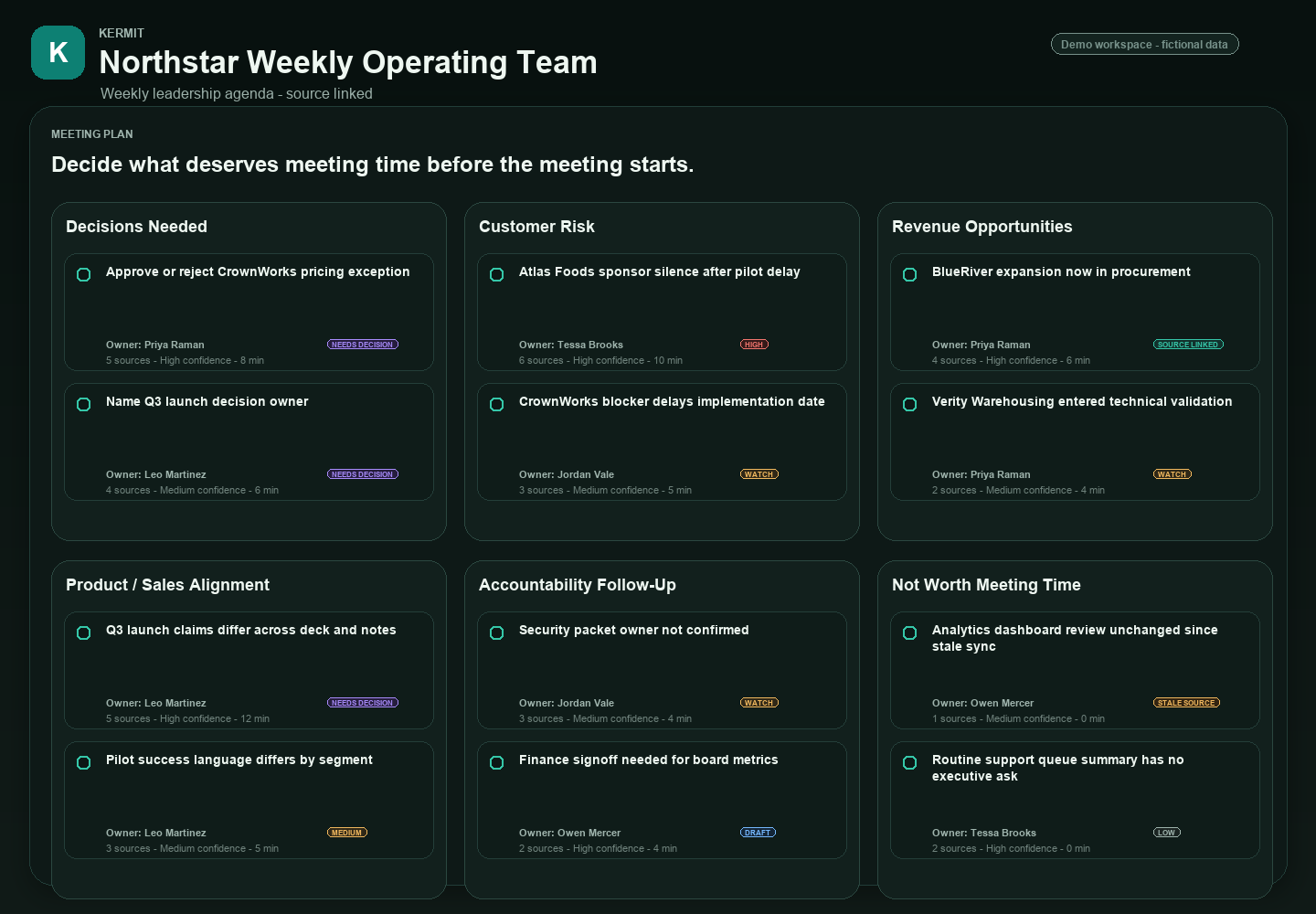
Walk into Monday with the week already shaped.
Kermit aggregates the week's commitments, conflicts, decisions-pending and theme threads into one leadership agenda — ready to share or restructure.
- Cross-source themes surfaced, not buried
- Decisions-pending grouped by owner and impact
- Mobile-ready for the commute review
 Demo workspace · fictional data
04 · Focus mode
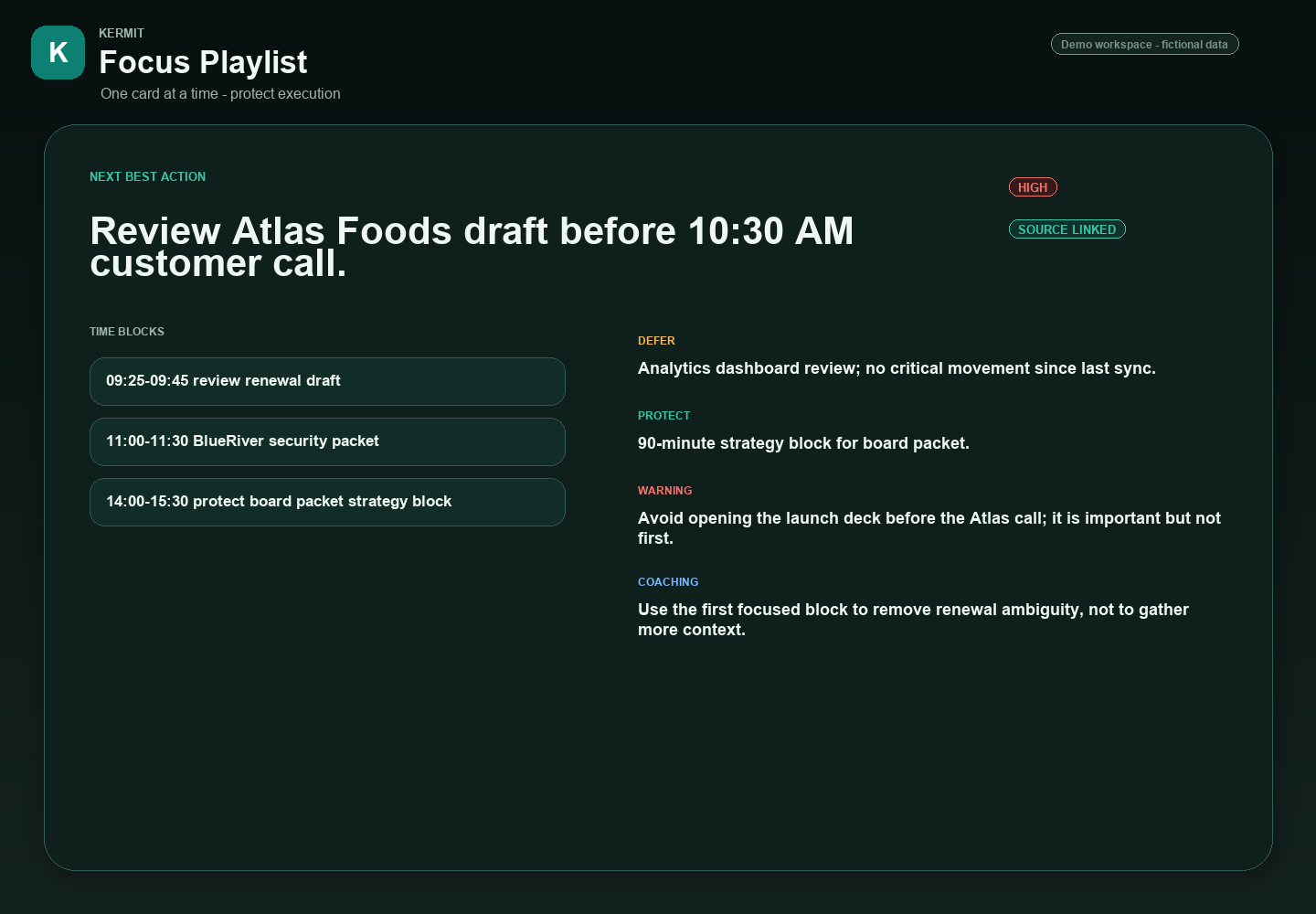
A playlist for deep work, not another inbox.
Focus mode collapses the cockpit into a single ordered playlist: the next decision, the next draft, the next conversation worth having — and nothing else.
- One thing on screen at a time
- Source link one tap away
- Resume exactly where you left off
 Demo workspace · fictional data
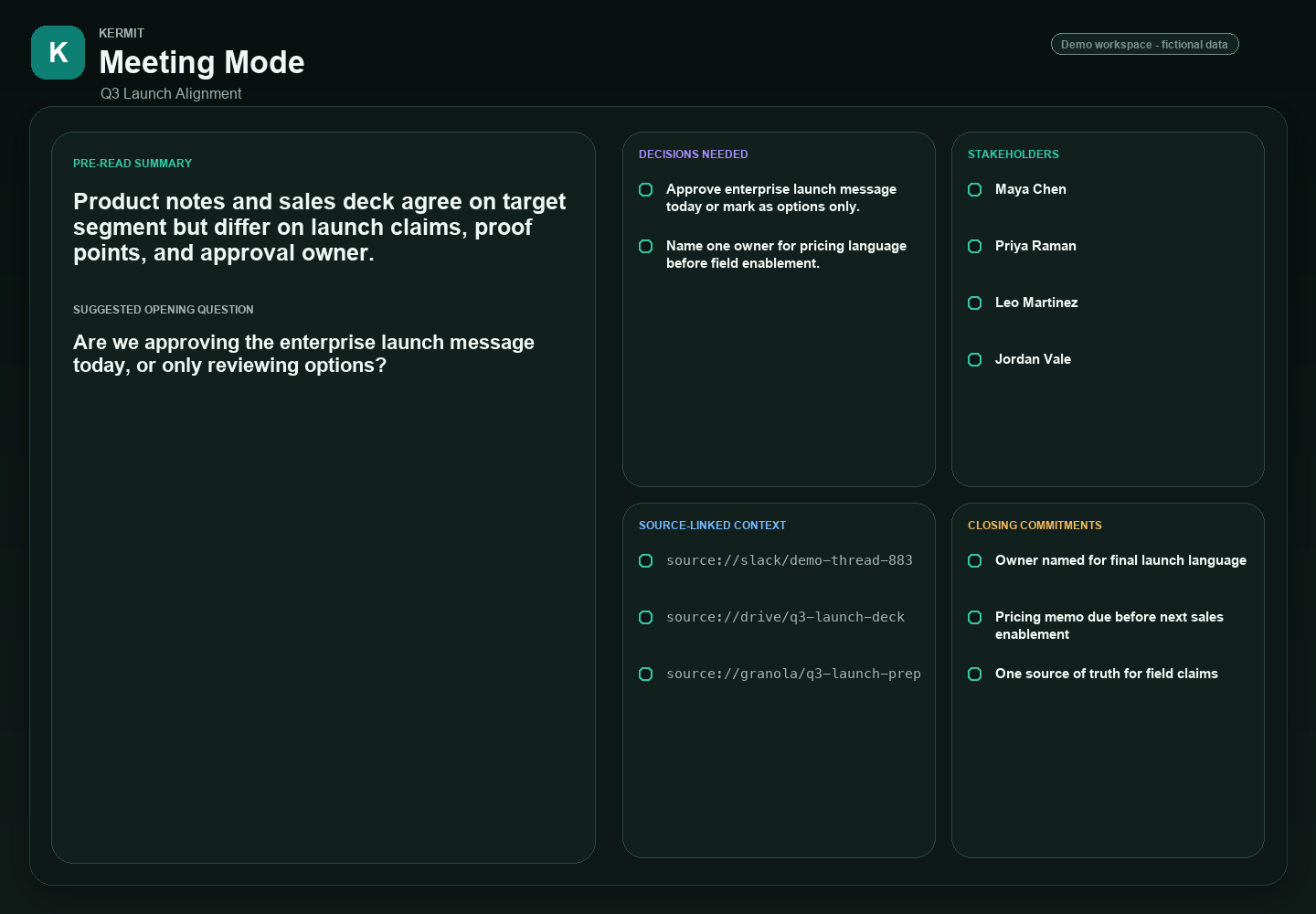
05 · Meeting mode
Walk into every meeting with the file already open.
A live, sourced view of the people, accounts and threads in the room — with the open decisions Kermit has been tracking on each one.
- Auto-prepped briefing per attendee and account
- Open loops, last touches and outstanding asks
- Capture notes locally; Kermit drafts the follow-up
 Demo workspace · fictional data
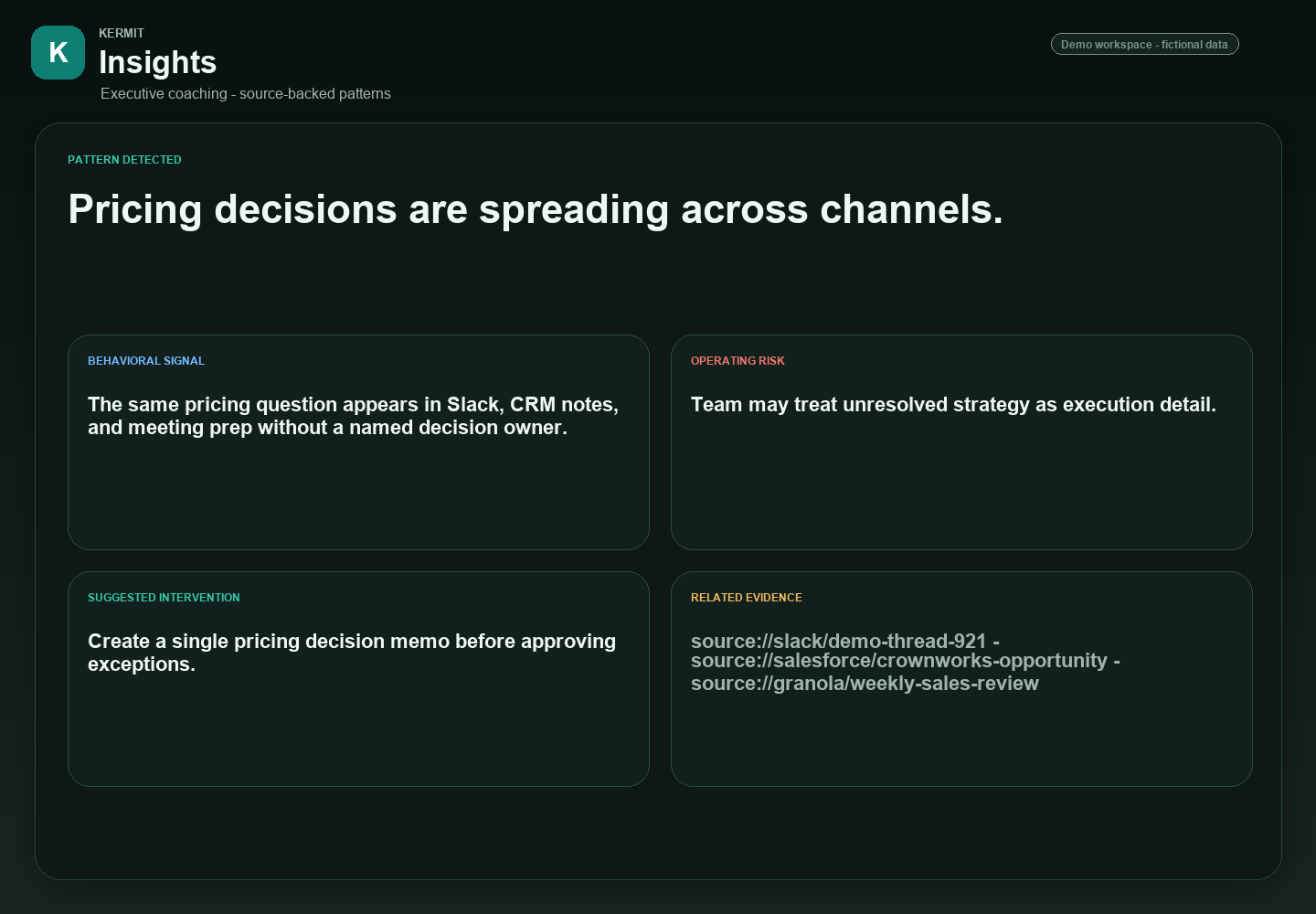
06 · Executive coaching
Insights you'd usually get from a good Chief of Staff.
Kermit watches for the patterns leaders miss in real time — fragmented decisions, recurring boundary confusion, threads going cold — and surfaces them as coaching prompts, never directives.
- Pattern Lens runs against the full week
- Prompts are suggestions, not assignments
- Every insight links back to the evidence
 Demo workspace · fictional data
See your own morning briefing.
Early access is rolling out to selected operators and executive teams. Tell us where you'd point Kermit first.
mykermit.aiA Blank Page project